Parental Control App- FamiSafe
- 4.4
- Rating
- 5.00M
- Installs
- Free
- Price

 Analysis by App-foxy
When I look at a parenting app, I do not judge it only by how many controls it offers. I also ask whether the controls are understandable, whether parents can make deliberate choices, and whether the child’s privacy is treated as part of the problem rather than an inconvenience. That is the lens I used with FamiSafe, a free parental-control app from Shenzhen Wondershare Software Co., Ltd. It is designed for families who want help managing online safety, with particular attention to social media detection.
My overall impression is that FamiSafe is most useful when it becomes part of an agreed family routine rather than a hidden surveillance tool. A parent can use it to start conversations, set boundaries, and notice patterns that might otherwise be missed. At the same time, any app that monitors a child’s digital life deserves careful setup. The wrong settings, vague expectations, or excessive checking can damage trust even when the technical controls work as intended.
How FamiSafe fits into responsible family supervision
FamiSafe belongs to the parenting category, but its practical role is narrower and more serious than a simple screen-time timer. Its store summary focuses on upgrading social media detection to help families stay safer online. That makes it relevant to parents who are concerned about what happens inside connected apps, not just how long a phone remains switched on.
You May Also Like

 Pandora - Music & Podcasts
Pandora’s Music Is Easy to Start, but Harder to Recover
Pandora’s strength is its low-effort path from a seed to a station. Its weak spot is how much confidence it asks you to place in connection, setup, and quiet recovery.

 8 Ball Pool
 Is Built on Rivalries, Rematches, and Routine
A close look at the rivalries, rematches, shared routines, and unanswered safety questions that turn a quick pool match into a persistent mobile community.

 Samsung Music
’s Quiet Strength Is Playing What You Already Own
Its reach comes less from spectacle than from dependable access to a personal library. That simplicity is both the app’s strongest retention engine and its ceiling.

 AccuWeather: Weather Radar
AccuWeather Review: A Quick, Clear Forecast for Everyday Decisions
For everyday plans, the best forecast is the one you can understand quickly. AccuWeather makes rain timing, radar, and local conditions easy to act on, with a few trade-offs.

 Hill Climb Racing
Why Hill Climb Racing Still Turns Crashes Into One More Run
A tiny car, a bumpy hill and one more upgrade: Hill Climb Racing keeps resurfacing because its simple chaos makes every near-miss feel personal.

 AliExpress - Shopping App
AliExpress Makes Global Shopping Feel Personal, but Shoppers Bear the Risk
AliExpress turns a global marketplace into a pocket-sized discovery engine. Its reach is useful, its shopping loop compelling, and its trade-offs easy to miss.
More From Our News Desk
View All News


I would place it between basic device controls and more intensive family monitoring services. Built-in tools on Android and iOS are often enough for setting downtime, limiting app access, or checking general usage. FamiSafe is aimed at parents who want a more dedicated place to manage online-safety concerns. That extra focus can be valuable, but it also means the app should be introduced with more care than a simple bedtime schedule.
The app is free to install and is suitable for Everyone, while optional in-app purchases range from $5.99 to $109.99 per item. That combination matters in practice: a family can explore the app before deciding whether paid functions fit its needs, but I would still review the purchase screen carefully before enabling anything. The free entry point lowers the barrier to testing, while the wide purchase range makes it important to understand exactly what a selected plan provides.
Its current version is 9.0.5.0202, and it works on Android starting with version 5.0. The app was released on Jul 13, 2018, so it is not a brand-new experiment. It has also reached over 5 million installs, with a 4.3 average from around 15 thousand ratings and about 1.2 thousand written reviews. Those figures suggest that many families have tried it, although popularity alone should never replace checking the controls and privacy choices on the devices in your own household.
What I would clarify before installing it
The most important preparation is deciding what problem you are trying to solve. If the issue is a child staying up too late, a device’s built-in bedtime controls may be simpler. If the issue is worrying content or risky social-media activity, FamiSafe’s more focused approach may be more appropriate. Installing it without a clear purpose can lead to constant checking and a confusing collection of restrictions.
I would also talk with the child before setup, using plain language. Explain which device is involved, what kind of activity will be supervised, who can see the information, and when the rules will be reviewed. This does not remove the need for parental responsibility, but it gives the child a fair understanding of the arrangement. In my view, that conversation is one of the app’s most important “features,” even though it happens outside the interface.
A useful starting point is to create a short written family agreement. It might cover school hours, sleep, social-media use, and what happens if a concerning message or search appears. Keep it specific enough to be practical. “Be safe online” is too vague; “we review the rules together after two weeks” gives everyone a clear next step.
Using the controls without turning them into punishment
Parental-control software works best when restrictions are predictable. I would avoid changing several settings at once, because then it becomes difficult to tell which rule is helping and which one is creating unnecessary conflict. Start with the smallest intervention that addresses the concern, observe how the household responds, and adjust only when there is a reason.
For example, if a child is using social media during homework, the first step might be a conversation and a defined study period rather than an immediate blanket ban. If the pattern continues, a more structured limit may make sense. This gradual approach gives FamiSafe a clear purpose: supporting a family decision, not replacing one.
Another practical tip is to check the parent account from the same place and under the same conditions each time. Do not make important decisions while angry or while reacting to a single alert. A notification can be a prompt to investigate, not proof that a child has done something wrong. Looking for context before acting is especially important when automated detection is involved.
Why social-media detection needs human judgment
The app’s emphasis on social-media detection is useful because online risks are not limited to total screen time. A child may spend a short period in an app and still encounter pressure, harassment, inappropriate material, or a request for personal information. A dedicated safety layer can help a parent notice concerns that a simple daily usage chart would not reveal.
However, detection should never be treated as a perfect interpretation of intent. Words can be jokes, slang, quotations, or conversations taken out of context. A parent who sees a worrying signal should ask open questions before imposing consequences. “Can you help me understand this conversation?” is more productive than beginning with an accusation.
This is also where FamiSafe may not suit every family. Older teenagers who already have a strong record of responsible use may see detailed supervision as intrusive, particularly if the arrangement was introduced without discussion. In that situation, a lighter agreement supported by built-in device controls could be better. The app is not automatically the right answer simply because a parent is anxious.
Trust, data choices, and practical control
Trust is the central issue with any app that sits between a parent and a child’s digital activity. I look for visible choices, clear account ownership, and a setup process that makes it possible to understand what is being supervised. With FamiSafe, I would take time during installation to read each permission and account prompt rather than tapping through quickly.
Permissions deserve special attention because a parental-control app may need access that ordinary utilities do not. I would ask myself why each requested access is needed, whether it applies to the parent device or the child device, and whether the setting can be changed later. If a prompt is unclear, I would pause and look for an explanation inside the app or the operating system before continuing. That habit is more reliable than assuming every request is harmless or every request is excessive.
The same care applies to account controls. A parent should know which account manages the family setup, how another trusted adult can participate if that option is offered, and how to remove a device that is no longer part of the household. I would keep account recovery details current and avoid sharing the main password casually. A control system is only trustworthy when the right people can access it and the wrong people cannot.
Data-sensitive moments usually occur when the app is first connected to a child’s device, when a parent reviews detected activity, and when a device is replaced or passed to someone else. Those are the moments when I would slow down, check the selected settings, and clean up old connections. Leaving an unused device attached to a family account is an easy mistake, especially after a phone upgrade.
I would also avoid treating the parent dashboard as a place for indefinite record-keeping. If the app presents information that is no longer needed for an active concern, consider whether it should remain part of the family’s routine. The principle is simple: collect attention only where it helps a real decision. Constantly revisiting old activity can make supervision feel like an investigation rather than support.
A realistic everyday setup
Imagine a child who uses a phone for school messages and social media. The parent is not worried about every minute of use, but has noticed late-night conversations and wants a safer way to discuss them. I would begin by installing FamiSafe on the appropriate devices, confirming the account arrangement, and explaining the purpose to the child. I would then establish a review time, perhaps once a week, instead of checking continuously.
During that review, the parent could look for patterns connected to the original concern rather than searching for unrelated material. If something appears worrying, the parent would ask the child for context and decide whether the family rule needs adjusting. If there is no meaningful concern, the parent should resist expanding supervision simply because more information is available.
This workflow has a useful trade-off. It gives the parent a structured way to address social-media safety, but it requires restraint. The app can support a calm process; it cannot create trust by itself. If the parent uses every available control at once, the same technology may produce defensiveness and secrecy.
Where the experience can feel difficult
The first source of friction is complexity. A dedicated parenting service naturally involves more setup than a phone’s standard screen-time menu. Families may need to manage a parent side, a child side, permissions, account access, and changing operating-system rules. I would not recommend installing it five minutes before a child receives a new device and expects everything to work immediately.
Another limitation is that parental controls can become outdated as children grow. A setting that is sensible for a younger child may be unnecessarily restrictive for a teenager. Regular reviews are therefore essential. I would schedule them around changes in school, devices, or online habits rather than leaving the original configuration untouched for months.
There is also a human limitation: no detection system can understand every family context. A parent may misread an alert, overlook a harmless explanation, or focus so much on monitoring that the underlying issue remains unresolved. For serious bullying, threats, exploitation, or immediate danger, the app should not be the only response. A trusted adult, school safeguarding contact, or appropriate professional support may be more important than any dashboard.
Who will benefit most from it
FamiSafe is a strong candidate for parents who want a dedicated way to discuss and supervise social-media safety, especially when built-in device tools feel too general. It may also help households with several devices, provided the parent is willing to keep the account structure organized and review settings as circumstances change.
I would be more cautious about recommending it to families whose only goal is a simple bedtime limit. In that case, the standard controls already included with Android or iOS may be easier to understand and less intrusive. I would also hesitate when a teenager strongly objects and there is no immediate safety concern. A negotiated family agreement may produce better long-term results than adding a monitoring layer that the child experiences as secretive.
The app is not a replacement for teaching children how to block, report, question requests, protect personal information, and seek help. Those skills remain useful even when a child uses a different device or account. The best result comes when FamiSafe is used as a temporary scaffold or a shared safety tool, not as the only line of defense.
My cautious verdict
After considering its purpose and the responsibilities that come with it, I see FamiSafe as a practical option for parents who need more than basic screen-time controls and want to focus on online and social-media safety. Its free installation makes it approachable, and its broad adoption gives it a substantial user base. The paid options mean I would examine the purchase choices carefully before committing, especially if several family devices are involved.
My recommendation comes with a condition: use the app transparently, start with a specific concern, and review the arrangement with the child. Read permission prompts, keep account access under control, remove old devices, and treat detected activity as a reason to talk rather than automatic evidence of wrongdoing. These habits protect both safety and family trust.
The best reason to choose FamiSafe is not that it can monitor more; it is that it can help a family make better, more deliberate safety decisions. If you want a focused parenting tool for social-media concerns and are prepared to manage it thoughtfully, it is worth exploring. If you only need a straightforward schedule or your family already has strong digital boundaries, the simpler built-in alternatives may be the better fit.
FAQs for Parental Control App- FamiSafe
01What features does FamiSafe offer for parental control?
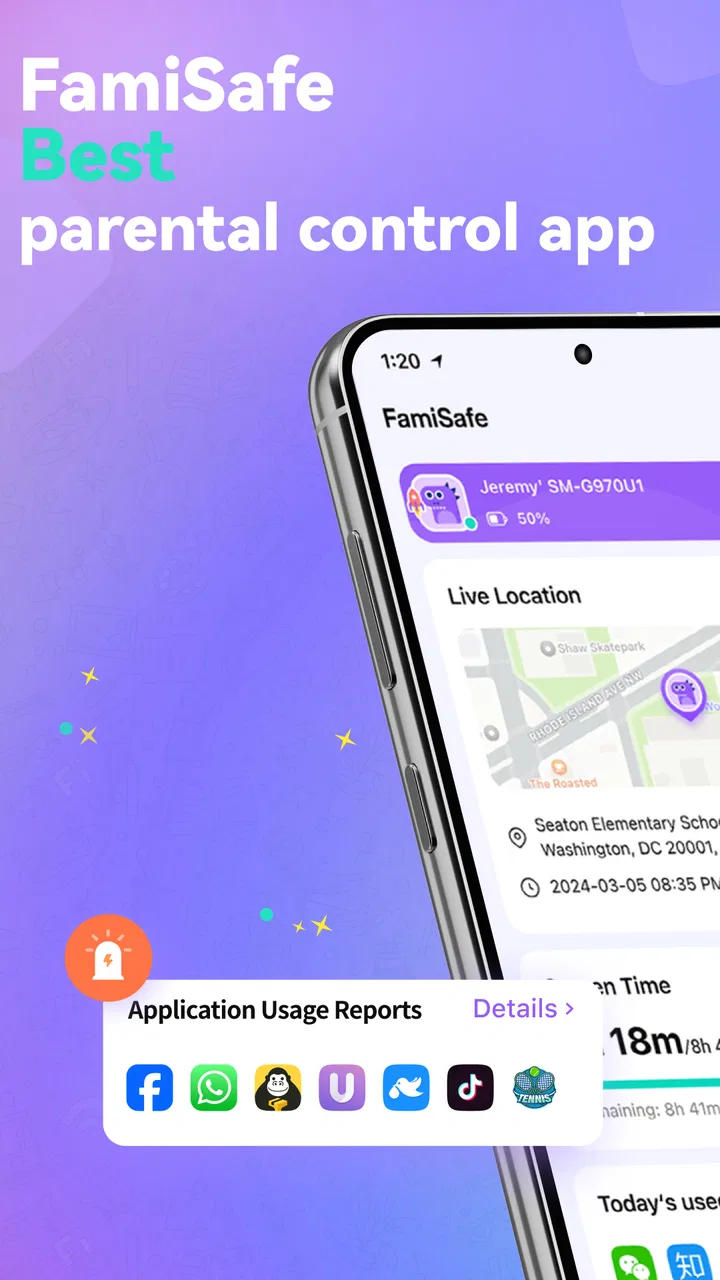
FamiSafe provides a comprehensive suite of features for parental control, including real-time location tracking, geofencing, screen time management, and app blocking. It also offers web filtering to ensure safe browsing and activity reports to keep parents informed about their child’s digital habits. These tools help parents manage and guide their children’s online presence effectively.
02Is FamiSafe compatible with both Android and iOS devices?
Yes, FamiSafe is designed to work seamlessly on both Android and iOS platforms. It supports a wide range of devices, providing flexibility for families using different types of smartphones or tablets. The app ensures compatibility with the latest versions of operating systems, making it a versatile choice for various device users.
03How does FamiSafe handle privacy and data security?
FamiSafe prioritizes user privacy and data security by employing advanced encryption technologies. The app ensures that all data, including location and browsing history, is securely stored and only accessible to authorized users. Parents can have peace of mind knowing that their family’s data is protected against unauthorized access and breaches.
04Can FamiSafe limit screen time for children?
Yes, FamiSafe includes a robust screen time management feature that allows parents to set daily screen time limits and schedule device-free periods. This helps in promoting a balanced digital lifestyle for children, ensuring they spend adequate time on other important activities such as homework, outdoor play, and family interactions.
05Is there a free trial available for FamiSafe, and what are the subscription options?
FamiSafe offers a free trial period that allows users to explore its features before committing to a subscription. After the trial, users can choose from various subscription plans, including monthly, quarterly, and annual options. These plans offer flexibility and affordability, catering to different family needs and budgets.
Pros
- User-friendly interface for easy navigation.
- Real-time location tracking for peace of mind.
- Comprehensive app blocking features.
- Customizable screen time limits.
- Detailed activity reports for monitoring.
Cons
- Limited features on the free version.
- Battery drain on child's device.
- Requires internet for accurate tracking.
- Occasional notification delays.
- Complex setup for less tech-savvy users.

Parental Control App- FamiSafe
Gallery